
How to Choose Between Laser Cutting and CNC Routing for Acrylic
A practical guide for designers, makers, and anyone who needs clean acrylic parts
Acrylic is one of those materials that looks simple until you start cutting it. Then the questions pile up: Will the edge stay clear? How thick can I go? Do I need pockets or just a flat outline? Two very different machines both claim to handle the job well — the laser cutter and the CNC router. Pick the wrong one and you either pay more than necessary or end up with an edge that needs hours of extra work.
This article walks through the real differences so you can match the process to the part instead of guessing.
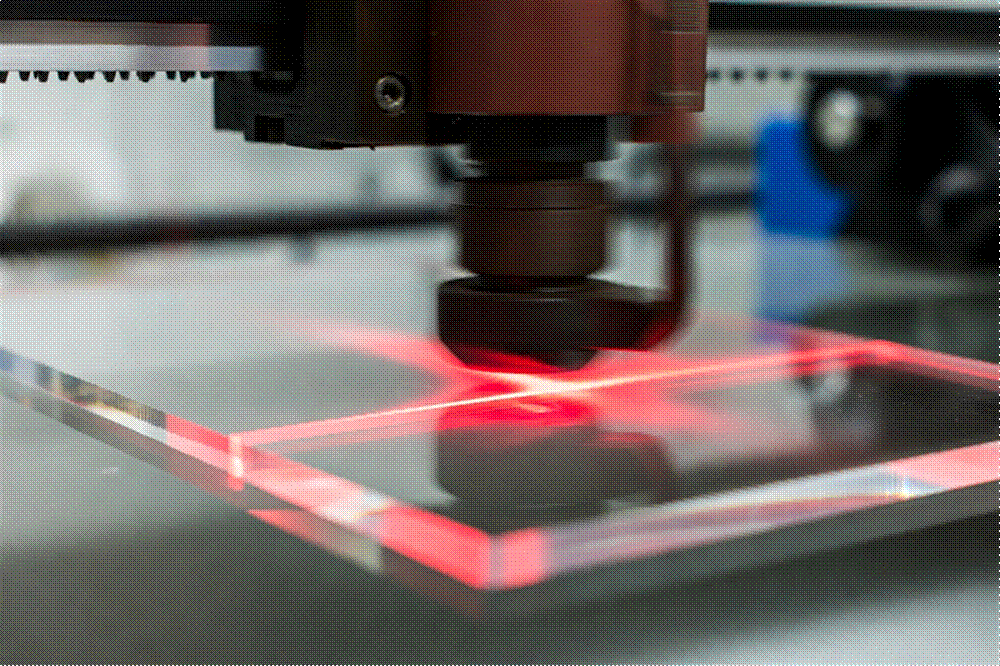
Figure 1 — A focused laser beam vaporizes a narrow path through acrylic, leaving a naturally glossy edge.
Two Different Tools, Same Material
Laser cutting is a thermal process. A CO₂ laser focuses intense light into a tiny spot that heats acrylic until it vaporizes. The material disappears along a hair-thin line. Because the cut zone melts and then solidifies again, the finished edge is usually smooth and shiny right off the machine.
CNC routing is purely mechanical. A high-speed spindle spins a carbide bit that physically removes material, the same way a milling machine does. The bit leaves a matte, slightly frosted surface with fine tool marks. That edge almost always needs polishing if you want it to look clear.
Neither method is universally better. They solve different problems. The decision comes down to thickness, geometry, edge quality requirements, and how many parts you need.
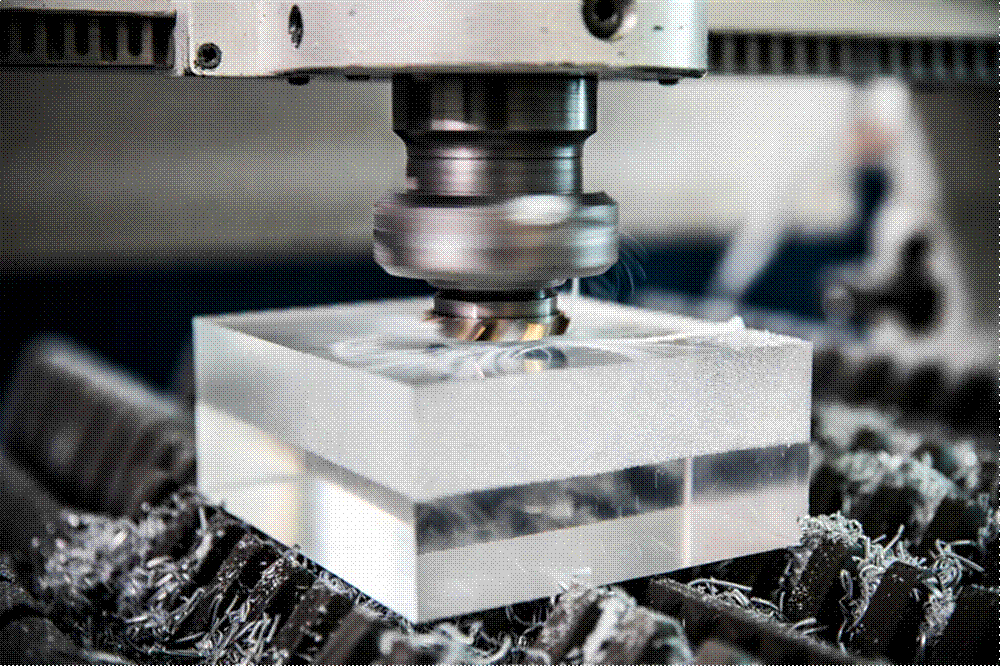
Figure 2 — A spinning router bit removes acrylic by force, producing a matte edge that usually needs polishing.
Edge Finish: The First Thing People Notice
On transparent acrylic the cut edge is highly visible. A laser-cut edge often comes out glossy enough that no further work is required, especially on sheets under 10 mm. That is why most signage, point-of-sale displays, and desktop organizers are laser-cut — the edge looks finished the moment the machine stops.
A CNC-routed edge starts life matte and cloudy. Flame polishing can restore some shine; diamond polishing can produce an optically clear surface that is flatter than anything a laser typically achieves on thick stock. The extra step adds cost and time, but for thick awards, trophy bases, or optical components the result is often superior.
Practical takeaway: If the edge will be seen and the material is thin, laser usually wins on both looks and cost. If the material is thick and the edge must be perfect, budget for CNC plus polishing.
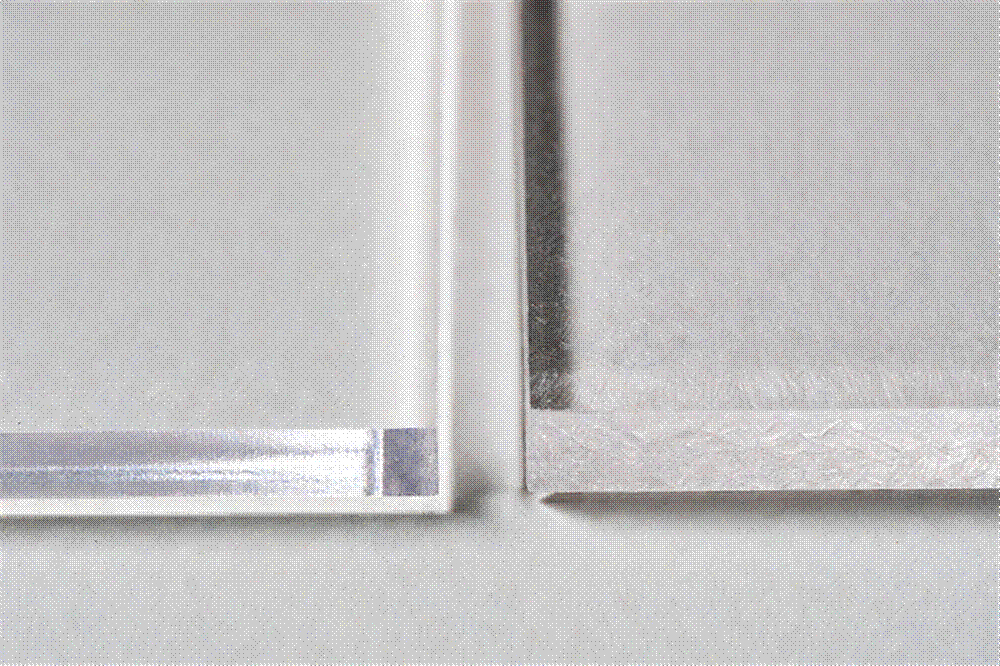
Figure 3 — Left: laser-cut edge (glossy). Right: CNC-routed edge (frosted). On clear acrylic the difference is obvious.
Thickness: The Clearest Dividing Line
Lasers are happiest with thin sheet. As thickness increases, the beam has to travel farther and deposit more heat. Cutting slows dramatically, edges can become less clear, and residual stress may appear later. Most shops treat 20–25 mm as the practical upper limit for clean laser work.
A CNC router barely cares about thickness. The same tooling that cuts 8 mm sheet will cut 40 mm or 50 mm stock; the machine simply takes a little longer. That is why solid acrylic trophies, heavy bases, and thick structural pieces almost always go to the router.
A useful rule of thumb:
- Up to about 10 mm: laser is usually the faster and cheaper choice.
- 10–20 mm: both methods work; decide based on edge needs and geometry.
- Above 20 mm: CNC is almost always the better route.
Fine Detail and Flat Complexity
A laser’s kerf is only a fraction of a millimeter. It can follow tight curves, sharp internal corners, and tiny lettering that no physical tool could manage. Intricate filigree, nested cut-outs, and delicate logos belong on the laser.
A CNC bit has a physical diameter. Every inside corner ends up with a radius at least as large as the bit. Very fine features require tiny tools that break easily and force slow feeds. For purely two-dimensional work with lots of detail, the laser has a clear advantage.
Three-Dimensional Features
Here the contest is one-sided. A laser beam travels straight down through the sheet. It cannot cut a chamfer, mill a pocket, drill a side hole, or carve a relief. It is strictly a 2D tool.
A CNC router works in three axes (and often more). Bevels, recessed logos, counterbored holes, V-carved text, and stepped profiles are everyday operations. If your part has any 3D geometry, the router is the only realistic option.
Speed, Volume, and Cost
On thin sheet the laser is hard to beat. No tool changes, quick setup, and an edge that often needs no polishing. High-volume runs of flat parts almost always favor the laser on price.
On thick material the picture reverses. A laser crawling through 25 mm acrylic can take many minutes per part, while a router clears the same profile much faster. Add the fact that thick laser edges frequently need cleanup, and CNC becomes the more economical choice exactly where the laser is slowest.
For one-off prototypes in the 10–15 mm range the two methods can end up surprisingly close in price once fixturing and polishing are included.
Accuracy and How the Material Behaves
Both processes can hold roughly ±0.1 mm when the machines are well maintained. The differences show up in secondary effects:
- Heat from the laser creates a heat-affected zone. On thin sheet this is usually harmless and is what produces the glossy edge. On thick stock the accumulated heat can leave residual stress that later appears as micro-cracks, especially near glued joints or drilled holes.
- Mechanical force from the router introduces no heat, but thin or flexible sheets need solid fixturing or the edge can show chatter marks.
- Material grade matters too. Cast acrylic generally gives the cleaner laser edge. Extruded sheet can leave melted stringers if the router bit is dull.
Side-by-Side Comparison
| Factor | Laser Cutting | CNC Routing |
| Cutting method | Thermal (vaporizes) | Mechanical (mills) |
| As-cut edge | Glossy, near-clear | Frosted, matte |
| Extra finishing | Rarely needed ≤10 mm | Flame or diamond polish |
| Best thickness | 1–10 mm (usable to ~20 mm) | 10–50+ mm |
| Fine 2D detail | Excellent | Limited by bit radius |
| 3D features | Not possible | Routine |
| Internal stress | Heat-affected zone possible | Mechanical if poorly fixtured |
| Cost sweet spot | Thin, high volume, intricate 2D | Thick stock, 3D geometry |
| Typical uses | Signs, displays, panels, organizers | Awards, trophies, thick bases, machined parts |
When the Smart Answer Is Both
Many finished products combine the strengths of both machines. A display case might use laser-cut 5 mm side panels (fast, clear edges) sitting on a CNC-routed 20 mm base with chamfered edges and tapped holes. A trophy often pairs a laser-cut face plate with a thick CNC-machined block.
Experienced fabricators treat the two processes as complementary rather than competitive. If your design mixes thin decorative elements with thick structural ones, expect (and welcome) a quote that uses both.
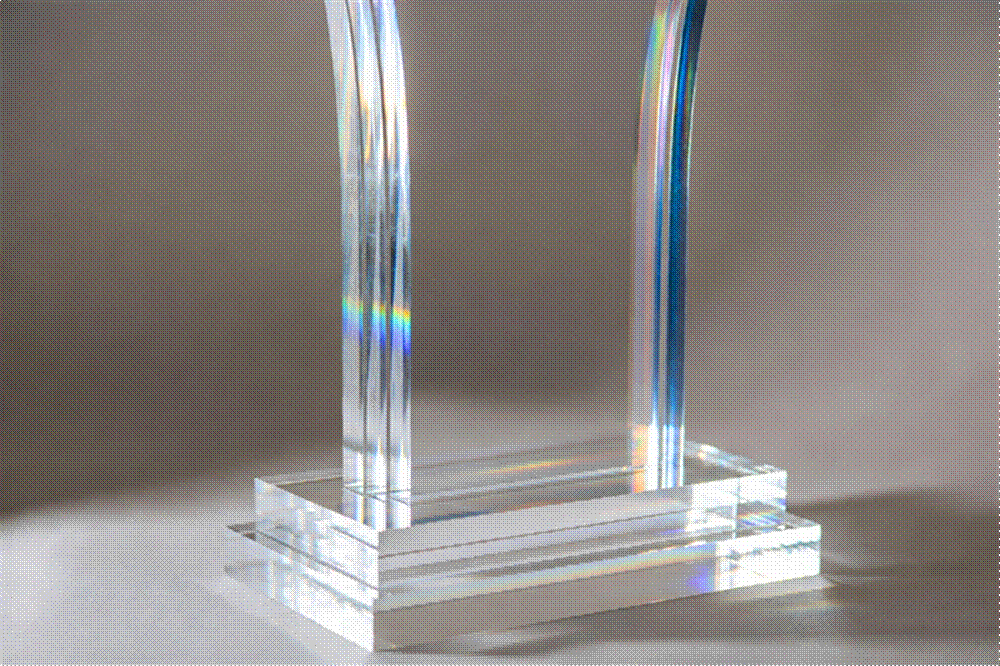
Figure 4 — A finished acrylic piece that benefits from both processes: thick base and thin uprights, all clear and light-catching.
A Quick Decision Checklist
Work through these questions in order. Stop at the first clear yes:
- Does the part need any 3D feature (chamfer, pocket, side hole, relief)? → CNC
- Is the stock thicker than roughly 20 mm? → CNC
- Is the edge a visible premium feature on thick material? → CNC + diamond polish
- Is it a flat profile up to 10–20 mm with fine detail or a visible edge? → Laser
- Is it a high-volume run of thin 2D parts? → Laser
If the answers pull you in both directions — thick stock and fine 2D detail, for example — split the job. Let each machine do what it does best.
Answers to Frequent Questions
Can one machine do both jobs?
No. The physics are different. Shops that offer both run separate laser and router fleets.
Will laser cutting yellow or burn the acrylic?
Not when the parameters are set correctly. Proper power, speed, and focus produce a clean glossy edge. Problems almost always come from poor setup, not from the process itself.
Why did my CNC part cost more than expected?
Usually the polishing step. Routing leaves a matte edge; making it clear is a separate operation that takes time and skill.
Which is better for engraving rather than cutting?
Laser, by a wide margin. Surface engraving is where the beam’s fine control really shines.
The Bottom Line
Laser cutting and CNC routing are not rivals. They are two complementary tools that together cover almost every acrylic need. Thin, detailed, high-volume work with a glossy-as-cut edge belongs on the laser. Thick stock, three-dimensional geometry, and optically polished edges belong on the router.
When a product needs both, the best fabricator is the one who doesn’t care which machine “wins” — because the part does.
— End —
 English
  Deutsch
  Français
  Italiano
  Español
  Nederlands
  한국어
한국어